How this site works
How we built a community event platform without managing a database
Published November 21, 2026
Palm Beach Tech Week, April 10 to 16, 2027 in West Palm Beach, has no central program. Companies, funds, labs, universities and community groups each host their own event, and this site gathers them into one calendar. This page explains how the site takes in those events, how they get reviewed, and how they reach the public calendar.
The challenge
A week like this has many organizers and no single owner of the schedule. That creates four jobs for a website:
- Take submissions from anyone. A host with a venue and a date, and also someone with only an idea and a preferred day.
- Keep private details private. We need a host's name and email to follow up. The public needs the event, not the person.
- Review without a bottleneck. A few volunteers decide what belongs on the calendar. They need a short queue, sorted so the clear cases are quick.
- Publish without a developer. Confirming an event should change the public calendar within minutes, with no code change and no redeploy.
The usual answers are a spreadsheet behind a form, which nobody trusts once several people edit it, or a custom application with its own database and its own screens for managing every record, which a volunteer committee cannot afford to build and maintain.
The solution
Every submission becomes a structured record in Alani Insights, a hosted database. That gave us three things we did not have to build:
- Our own database. Palm Beach Tech Week's events, people and organizations live in the week's own Insights workspace, as tables whose fields each carry a written description.
- An interface for people. Organizers can open and edit those records in the Insights app in a browser, without us building screens for it.
- One interface for software. The website reads and writes the same records over a web API. An authorized AI assistant could reach them through Insights' MCP server, which this site does not use today.
We did write code: one function that files each submission, the page that draws the calendar and applies the publishing rules, and a small review dashboard. We did not build the database, its hosting, or a general-purpose interface for viewing and editing records. Insights is the database and the way into it. The application around it is ours.
See it working: one event, start to finish
On November 19, 2026 the team at PostScarcity AI filled in the host form for Game Jam: Build a Game in a Day, a hackathon proposed for Sunday April 11 from 10 AM to 4 PM. Here is what happened to it:
- Netlify stored the form submission and started the function.
- The function sent the event's details to the model with the rubric. The verdict came back as strong.
- The function matched or created the host's record in People and the organization's record in Companies, then created the event in Events with the status
submitted, the score, and the host's consent to a public listing. - On November 21 an organizer pressed Show as idea on it in the dashboard. It is on the open calendar on Sunday at 10 AM as an idea, with the title, description and organization. The host's name and email stay in the database.
- When its details are settled, an organizer will press Confirm. It then becomes a confirmed event with its venue and registration link, and joins the calendar feed people subscribe to.
Results so far
As of November 21, 2026:
- Eight events have come in through the host form since October 7, 2026, plus one entered by hand.
- 36 people have signed up for updates.
- On November 21, 2026 an organizer reviewed the submissions on the dashboard: six were shown as ideas and one was hidden. The remaining one is a featured event the calendar already carries.
How it works in detail
The six pieces in the diagram above, one at a time.
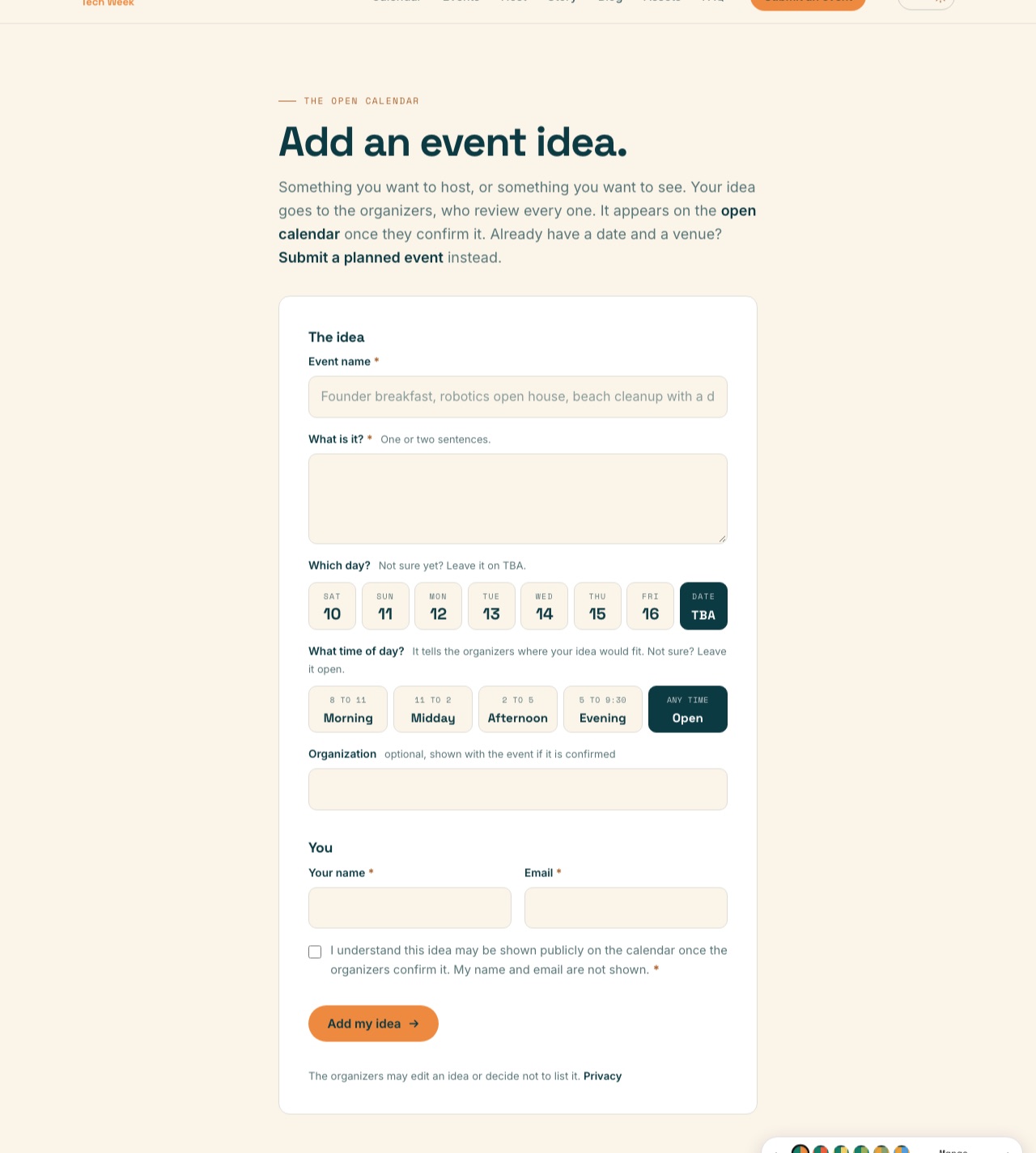
1. Forms take the submission
There are four forms: host an event, add an event idea, sign up for updates, and contact. They are plain HTML forms handled by Netlify Forms, which keeps its own copy of everything submitted. If any later step fails, the submission is still there.
2. A server function files it
Each submission triggers one short function. It finds or creates the person by email, finds or creates the organization by name, and writes one record for the event. A host submission starts with the status submitted. An idea starts with the status idea.
3. A language model scores host submissions
Before a host submission is stored, the function sends its details to a language model (Claude Haiku 4.5, through Anthropic's API) along with a written rubric for what belongs in the week. The model returns a score from 1 to 10, a verdict of strong, maybe or weak, and two to four sentences of reasoning. All three are saved on the event's record.
The score does one job: it sorts the review queue, so the clearest cases are at the top with the model's reasoning beside them. It does not decide what the public sees. Nothing a visitor submits appears on the calendar until an organizer has looked at it, whatever its score, and an organizer can approve a submission the model scored weak.
If the scoring call fails, the submission is saved as unscored, nothing is lost, and it waits in the same queue. Ideas from the open form are not scored.
4. Alani Insights holds the records
The records live in three tables in Alani Insights, a hosted database: Events, People and Companies. The site talks to it over a web API with a key that stays on the server. Every field in the Events table carries a written description of what it means and who sets it, so the table explains itself to whoever opens it next.
This is the part we did not have to build. There is no database for us to host, back up or migrate, and the same tables can be opened and edited in the Insights app in a browser.
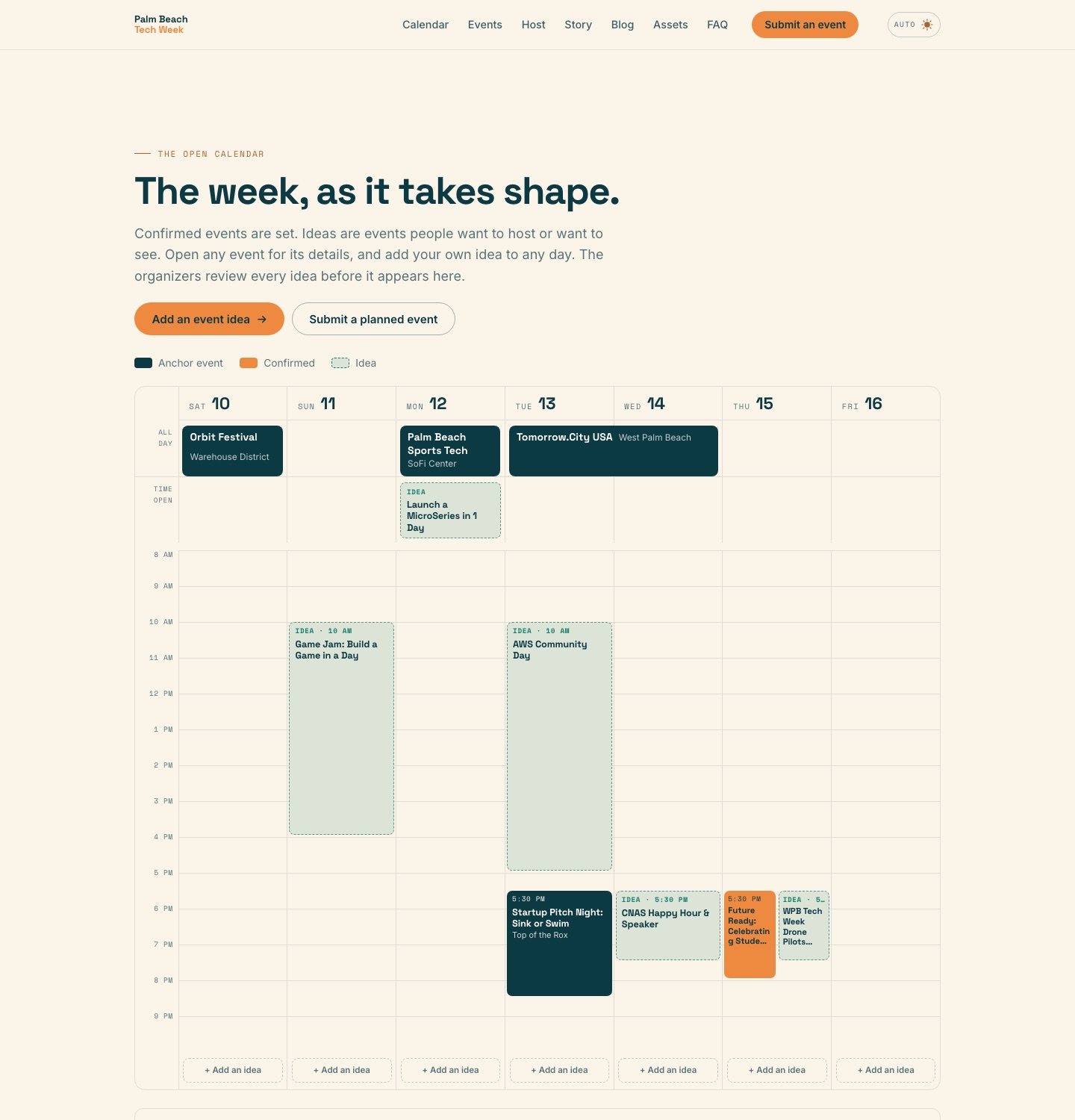
5. The calendar page applies the rules
The open calendar is built on our server each time it is requested, from the Events table, with the result reused for up to two minutes. The rules for what the public sees are in the site's code, not in the database:
- A submission or idea that is waiting for review never appears. It stays in the review queue.
- One that an organizer has chosen to show as an idea appears as an idea: a proposal, with no venue or link.
- A confirmed event appears, with its venue and registration link. For a host submission, the host must also have agreed to a public listing.
- A hidden record never appears.
- Only the event is public: title, day, time, description and organization. Never a name, an email or a phone number.
If Insights cannot be reached, the page shows the anchor and featured events alone instead of failing.
6. A private dashboard moves events along
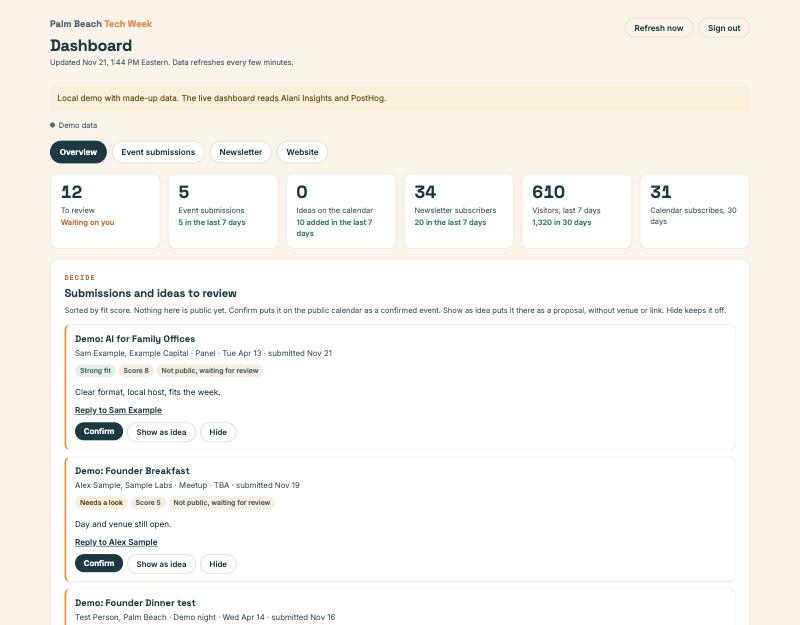
Organizers sign in to a private page that lists what is waiting, best fit first, with the model's reasoning beside each one. Four buttons each change the status on one record: Show as idea, Confirm, Hide and Restore. The calendar picks up the change on its next read. The dashboard sits behind a password, is hidden from search engines, and locks for fifteen minutes after five wrong attempts from one address.
If you want to build something like this
The approach is not specific to tech weeks. Any site where many people submit things and a few people approve them has the same shape: forms, one table with a status field, a page that reads the table through a short list of rules, and a private screen that changes the status.
bundleIQ has published a technical write-up of this site with the full table schema, the API calls and how approval works. For what the database itself does, see the Alani Insights overview.
One thing this site does not use: Insights also has an MCP server, which lets an AI assistant such as Claude or ChatGPT read and update the same tables. It is available to us, and no assistant or agent is part of how Palm Beach Tech Week runs today. The site talks to Insights over the web API only.
Questions about how this site works: send us a message.